In high-risk industrial environments, a single oversight during equipment maintenance can lead to catastrophic injury. That’s where the lockout tagout log form becomes non-negotiable. It’s not just paperwork—it’s a documented lifeline that verifies when machines are safely powered down, who applied controls, and what procedures were followed. Without this record, safety protocols are incomplete, and organizations expose themselves to regulatory penalties and human risk.
What Is a Lockout Tagout Log Form?
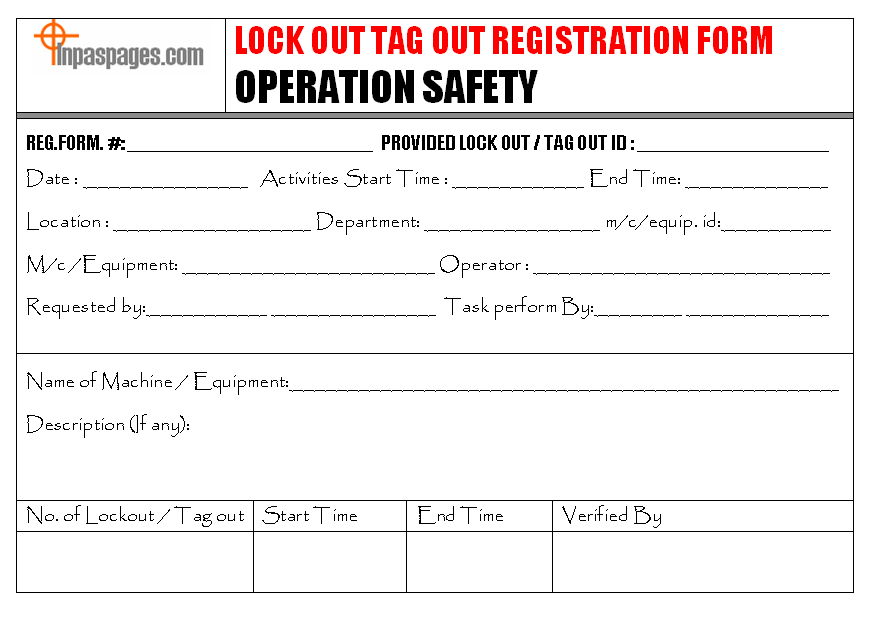
A lockout tagout (LOTO) log form is a documented record used during maintenance or servicing of machinery to track the application and removal of energy-isolating devices. It logs critical data such as:
- Date and time of lockout initiation and removal
- Equipment name or ID
- Authorized employee applying the lock
- Type of energy controlled (electrical, hydraulic, pneumatic, etc.)
- Nature of service or repair
- Verification of zero energy state
This form serves as both an accountability tool and a legal safeguard. In the event of an incident, OSHA inspectors will request these logs to confirm whether proper procedures were followed.
Why the Log Matters More Than the Lock
Many facilities focus on physical locks and tags but treat the log as an afterthought. That’s a dangerous misstep. A lock can be removed; a tag can fall off. But a completed log creates a time-stamped, traceable record. It answers questions like: Who locked the machine? Was the system verified de-energized? Did all personnel clear the area before re-energizing?
Without this paper trail, even a properly executed LOTO procedure is legally unverifiable.
Core Components of an Effective LOTO Log Form
A well-designed form isn’t just a checklist—it’s engineered for clarity, compliance, and real-world usability. Here are the essential elements every log should include:
1. Equipment Identification Use unique IDs or names that eliminate ambiguity. “Conveyor Line 3” is better than “the big conveyor.”
2. Date and Time Stamps (Start and End) Precision matters. A 10-minute gap between lock application and service start could indicate a verification failure.
3. Authorized Employee Sign-Off Only trained personnel should apply locks. The log must capture their name, ID, and signature.
4. Energy Source Types List all isolated energy forms—electrical, mechanical, thermal, chemical, etc. Missing one could mean residual hazard.
5. Verification Method Did the employee test for zero energy with a meter? Visual check? The form should specify.
6. Supervisor Approval Especially for complex or multi-trade work, supervisory sign-off adds an extra layer of accountability.
7. Remarks Section A space for notes—delays, unexpected conditions, or deviations—ensures transparency.
Real-World Example: At a Midwest manufacturing plant, an employee was injured when a press reactivated during maintenance. The investigation revealed that while a lock was in place, no log existed to confirm de-energization. OSHA fined the company $92,000 for recordkeeping failure—despite having locks on site.
Common Mistakes That Undermine LOTO Logs
Even with forms in place, organizations make errors that compromise safety and compliance.
1. Blank or Incomplete Fields Leaving time, equipment ID, or verification method blank is common—and unacceptable. Incomplete logs are treated as non-compliant during audits.
Fix: Use digital forms with required fields or implement a “buddy check” system where a second worker verifies entries.
2. Backdating or Falsifying Entries Pressure to meet production deadlines sometimes leads to post-event logging. This isn’t just non-compliant—it’s fraud.
Fix: Train employees that safety logs are legal documents. Include disciplinary policies for falsification.
3. One Form for Multiple Machines
Using a single log for unrelated equipment creates confusion. If Machine A and Machine B are logged together, a release error could affect both.
Fix: Assign one log per machine or job. For simultaneous work, use parallel entries with clear separation.
4. Poor Storage or Accessibility Paper logs stuffed in a drawer or lost in a folder aren’t useful during an emergency or audit.
Fix: Store logs in a designated binder or digital system with version control and access logs.
Digital vs. Paper LOTO Logs: What Works Best?
While paper forms are still common, digital solutions are gaining traction. Here’s how they compare:
| Feature | Paper Logs | Digital Logs |
|---|---|---|
| Real-time access | Limited | Cloud-based, instant |
| Audit readiness | Manual sorting | Searchable, exportable |
| Error reduction | High risk of omissions | Forced fields, validation |
| Integration | None | Can sync with CMMS, ERP |
| Training support | None | Can embed videos, SOPs |
The Edge of Digital: A food processing facility in Georgia reduced LOTO errors by 68% after switching to a tablet-based log system. Workers uploaded photos of locked points, scanned QR codes on equipment, and received automatic reminders for lock removal.
But Paper Has Its Place: In remote or hazardous zones with no connectivity, paper remains practical. The key is consistency—whether analog or digital, the process must be standardized.
When Is a LOTO Log Required?
OSHA standard 29 CFR 1910.147 doesn’t explicitly mandate a “log form,” but it requires documentation of several elements that effectively necessitate one:
- Periodic inspections of LOTO procedures (annual)
- Employee training records
- Written energy control procedures
- Certification that equipment has been de-energized
A log form is the most efficient way to satisfy these requirements in real time.
Use Cases Where Logs Are Essential:
- Planned Maintenance: Scheduled servicing of pumps, motors, or conveyors
- Emergency Repairs: Quick fixes after a breakdown, where urgency increases risk
- Contractor Work: Third-party technicians must follow site-specific LOTO rules
- Shift Changes: Transferring lock responsibility requires documentation
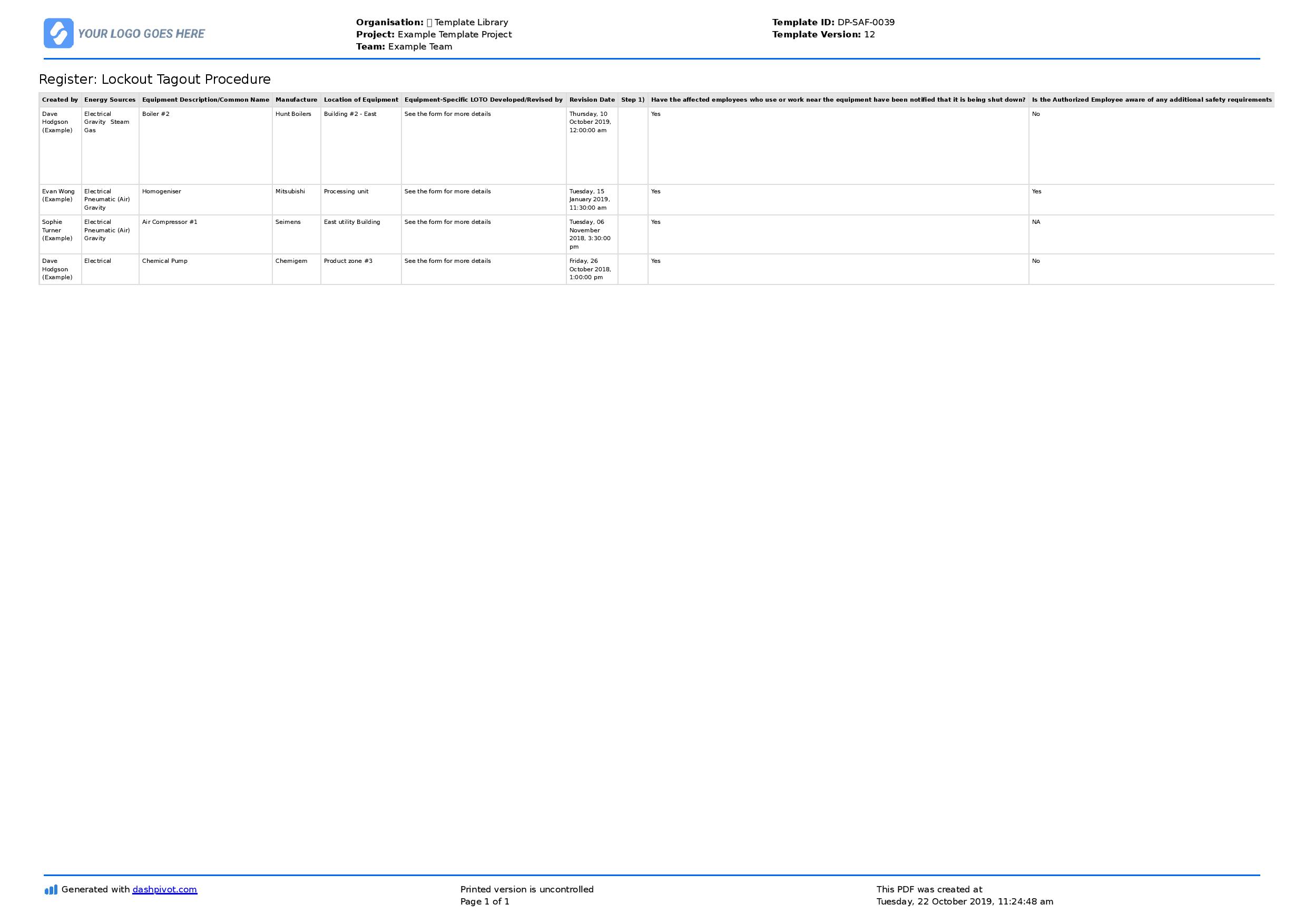
One refinery uses a “lock transfer log” during shift handoffs. The outgoing technician logs removal of their lock, the incoming worker applies theirs, and both sign. This prevents accidental re-energizing during crew changes.
How to Implement a LOTO Log System
Rolling out an effective log process takes more than printing forms. Follow this workflow:
Step 1: Audit Your Equipment Identify all machines requiring LOTO. Tag each with a unique ID and attach a QR code linking to its specific procedure.
Step 2: Design or Select the Form Use OSHA guidelines and internal risk assessments. Involve maintenance teams in design—they’ll spot flaws early.
Step 3: Train Employees Focus on real scenarios: “What do you do if the log form is missing?” “Who verifies the lock before restart?”
Step 4: Conduct Mock Drills Run a simulated maintenance event. Test logging accuracy, verification steps, and communication.
Step 5: Audit Monthly Review 10% of logs each month for completeness. Track trends—repeated errors signal training gaps.
Top 5 Digital LOTO Log Solutions For teams moving beyond paper, these platforms offer robust logging features:
- SiteDocs
- - Cloud-based safety forms with offline access
- - Custom LOTO templates and photo attachments
- - Integrates with Slack and Microsoft Teams
- iAuditor by SafetyCulture
- - Mobile-first inspection tool
- - Real-time alerts for overdue lock removals
- - Supports barcode scanning for equipment
- Failsafe LOTO
- - Industry-specific workflows (oil & gas, manufacturing)
- - Lockout request and approval routing
- - Automated audit trails
- EHS Insight
- - Full EHS suite including LOTO management
- - Scheduled reminders and compliance dashboards
- - OSHA 1910.147-aligned templates
- ProSuite by Brady
- - Combines lockout hardware with digital logging
- - RFID-enabled lock tracking
- - Direct link to asset management systems
Each offers free trials—test with your maintenance team before committing.
The Cost of Skipping the Log
Some managers see logging as bureaucratic overhead. But consider the real costs:
- OSHA fines: Up to $15,625 per violation (2023 penalty level)
- Downtime: Investigations after incidents can halt production for days
- Legal liability: Injured workers can sue if procedures weren’t documented
- Insurance premiums: Poor safety records increase coverage costs
One mid-sized factory saved $220,000 in potential fines and insurance adjustments after implementing a digital LOTO log system—simply by proving consistent compliance.
Make the Log Part of Your Safety Culture
A LOTO log form isn’t a formality. It’s evidence that your team respects energy control. Post it near equipment. Review it in safety meetings. Celebrate zero-incident milestones tied to proper logging.
When employees understand that the log protects them—not just the company—they’re more likely to use it correctly.
Start today: Pull your current LOTO form. Is every field necessary? Can it be completed in under 90 seconds? Does it survive a surprise OSHA audit? If not, redesign it—because in safety, the details don’t just matter. They save lives.
FAQ
What should you look for in Lockout Tagout Log Form: Why It’s Critical for Safety Compliance? Focus on relevance, practical value, and how well the solution matches real user intent.
Is Lockout Tagout Log Form: Why
It’s Critical for Safety Compliance suitable for beginners? That depends on the workflow, but a clear step-by-step approach usually makes it easier to start.
How do you compare options around Lockout Tagout Log Form: Why It’s Critical for Safety Compliance? Compare features, trust signals, limitations, pricing, and ease of implementation.
What mistakes should you avoid? Avoid generic choices, weak validation, and decisions based only on marketing claims.
What is the next best step? Shortlist the most relevant options, validate them quickly, and refine from real-world results.